Lightweight document search for agentic RAG
PDFs, slides and scans getting in your agent's way? Sergo reads them, and your agents search them over MCP — each one only the folders you pick.
Free for evaluation and non-commercial use.
01How it works
We kept it simple.
From a shared folder to a cited answer, in three steps.
- 01
Files go into folders. Share a folder with the developer who builds the agent, and you both work on the same files.
fig. 1 · Share 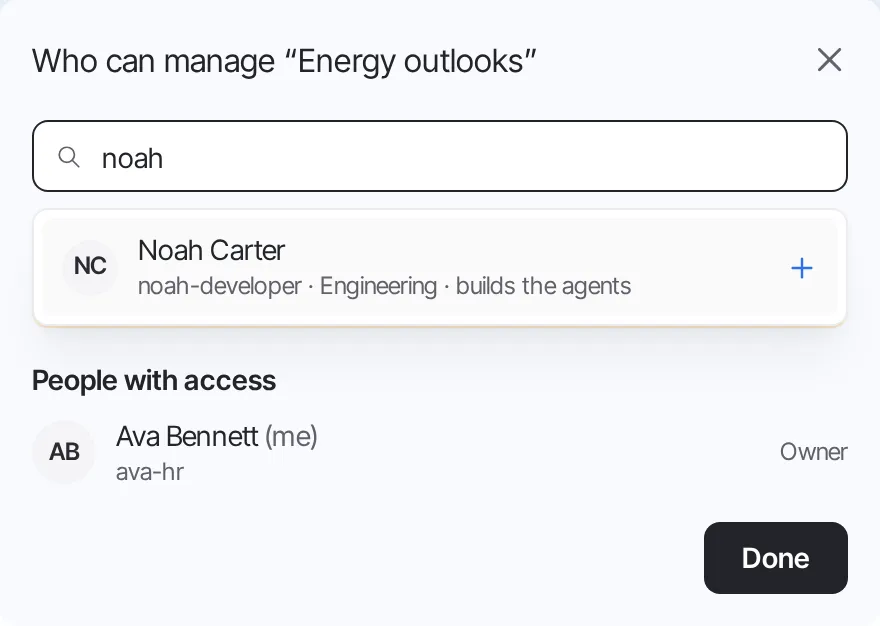
- 02
Basic reads the text already in the file, for free. Standard (AI) has a model read each page, and shows the cost before anything runs.
fig. 2 · Process 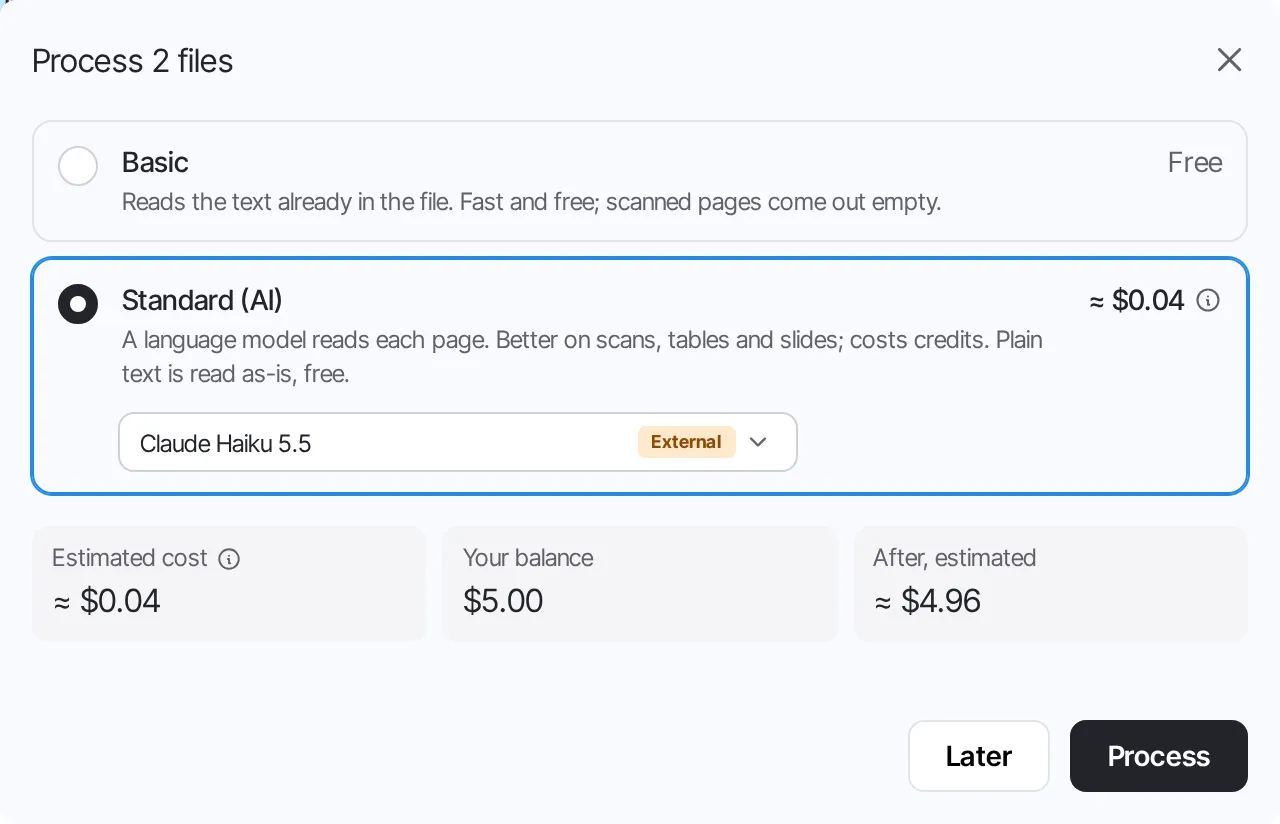
- 03
Name the agent, say what it is for, and tick the folders it may read. The key you get is its own MCP server.
fig. 3 · New agent key 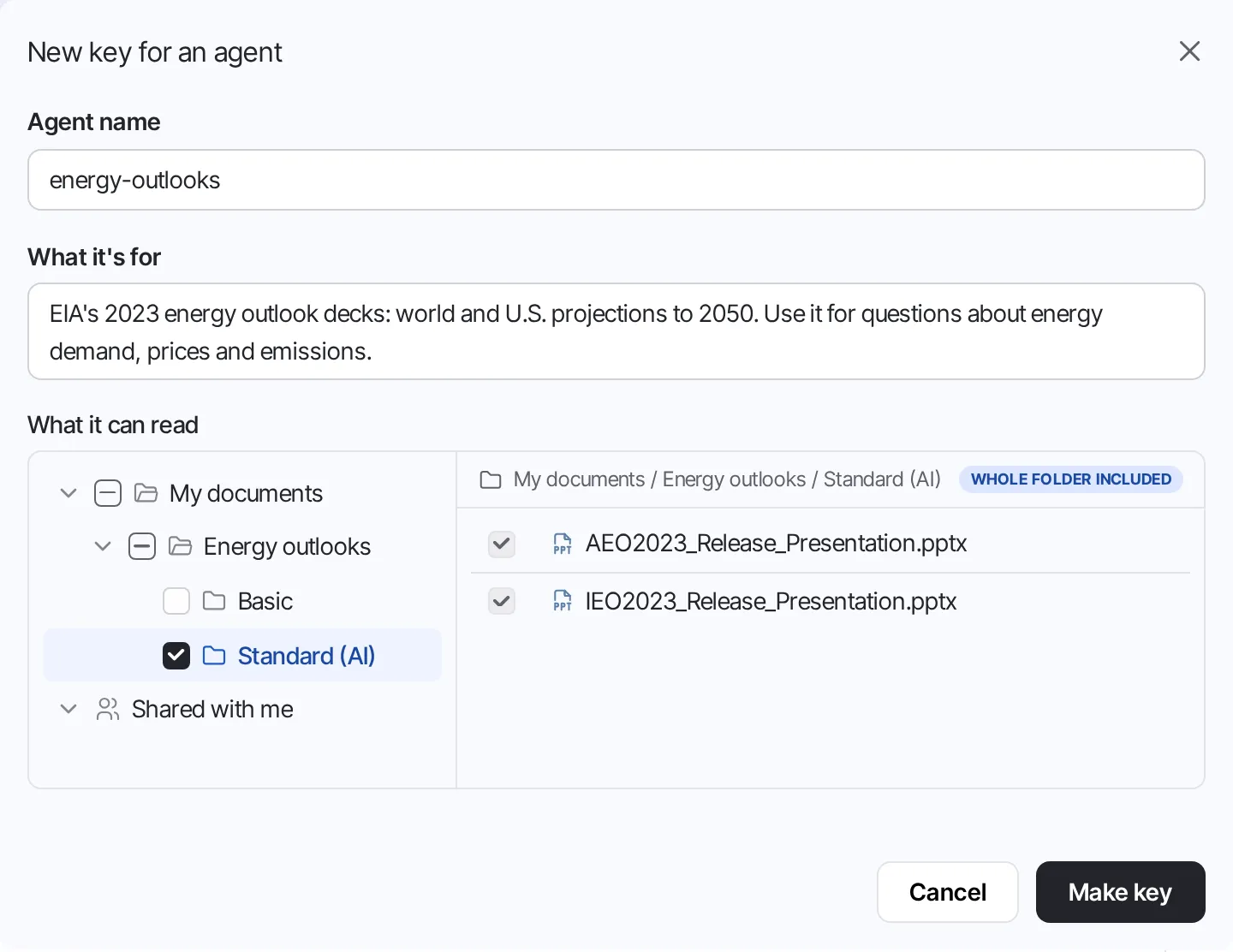
02MCP
And this is what your agent does with it.
It searches the text first, and looks at the page when it isn't sure.
- Agent
- search
{"query": "electric vehicle sales share"} - Sergo MCP
- result
{"page": 20, "view_page_may_help": true, "excerpt": "# IRA incentives speed growth in sales…"} - view_page
{"document_id": "tGzncP7F", "page": 20, "format": "pdf"} - pagePDFpage 20 of 25
03Features
And a few more things.
search
Start on Postgres, move to OpenSearch
Search runs in the Postgres you already have. When it outgrows that, build an OpenSearch index alongside and switch once it is ready.
files
Office files become PDFs
Word, PowerPoint and Excel files get a PDF copy. A page number means the same page to people and agents, and any page can be shown as a picture.
credits
Credits for each person
Admins grant credits to each person and set the price of each model. A job is charged for what it used, and a failed one costs nothing.
presets
Your own presets and processors
A preset says which processor reads each file type. Add your own, and plug in a parser you trust: a processor is any container that follows a small contract.
Try it with your own documents.
Free for evaluation and non-commercial use.